X (Twitter)






$39 - $99
ClassBento money-back guarantee
Our mission is to improve mental wellbeing through our workshops and experiences. We curate our teachers and hosts carefully to ensure that they are of high quality.
That's why we provide a money-back guarantee*: If you're unsatisfied with this experience, just leave it at least 20 minutes before it ends, and tell us (the ClassBento team) the reason for your dissatisfaction within 4 hours of that time, and we'll provide you with a refund.
* We may choose to limit our refund per customer at $1000. In some rare cases, we may also require you to show us your photo ID before we process the refund.
Please choose a time
Please choose a date and time by clickingtapping the dropdown menu (that's just to the left of the button you clicked), before clicking the 'Buy' button.






Nearby stores
Sorry, you just missed it
The date in our email has already been booked. Spots can sell out within minutes of new dates being released, so the best way to get in next time is to book as soon as our email lands.
You're still on the waitlist, so we'll email you as soon as new dates are added.
How Afterpay works


Please note: Afterpay is not available on bookings of over $1,000, and on certain classes.
Book now, pay later
With Zip, you can book now to ensure you don't miss out on the date you like, and pay later, interest free (nothing to pay today).
Just proceed to the checkout, and use the "Zip" option for payment.
Over 800,000 Australians use Zip. Learn more about Zip.
Request a private class
Pick time(s) that suit you, and ask any questions
reply
We'll respond via email & text message
(with a booking link), usually within minutes
FAQs (3)
What CAM/CAD software do you use?
We use Autodesk Fusion360 which is available for free to download as a hobbyist for personal use. It may be useful to familiarise yourself with it before coming along but it is not necessary.
Will I be able to operate a CNC router by myself after this workshop?
CNC routers have a very steep learning curve - much more than most 3D printers and laser cutters. Whilst you will be taken through the basics, most people require 10+ hours of hands-on experience before they can confidently operate a CNC router by themselves. This workshop is a great introduction to see if it's for you before investing in your own machine or joining the Brisbane Makerspace community workshop as a member.
Should I bring a project idea, laptop or materials etc.?
No, everything is included. This is a shared workshop and the teacher will take you through our dedicated CNC router PC which has all the software ready to go. You will get a wooden cheeseboard to engrave and be able to use the provided computer and CNC router bits. Brisbane Makerspace members also get to keep their router bit to use in future projects.
Ask a question
Don't include your phone or email in this message
info
You can choose add-ons later, when you book
(1x Extra Cheeseboard)
check_circle
You'll be in good hands. This teacher is rated 4.8 out of 5, from 182 reviews
Select a time
Pick a time on
ClassBento money-back guarantee
Our mission is to improve mental wellbeing through our workshops and experiences. We curate our teachers and hosts carefully to ensure that they are of high quality.
That's why we provide a money-back guarantee*: If you're unsatisfied with this experience, just leave it at least 20 minutes before it ends, and tell us (the ClassBento team) the reason for your dissatisfaction within 4 hours of that time, and we'll provide you with a refund.
* We may choose to limit our refund per customer at $1000. In some rare cases, we may also require you to show us your photo ID before we process the refund.
How can we help?
Q: What CAM/CAD software do you use?
We use Autodesk Fusion360 which is available for free to download as a hobbyist for personal use. It may be useful to familiarise yourself with it before coming along but it is not necessary.
Q: Will I be able to operate a CNC router by myself after this workshop?
CNC routers have a very steep learning curve - much more than most 3D printers and laser cutters. Whilst you will be taken through the basics, most people require 10+ hours of hands-on experience before they can confidently operate a CNC router by themselves. This workshop is a great introduction to see if it's for you before investing in your own machine or joining the Brisbane Makerspace community workshop as a member.
Q: Should I bring a project idea, laptop or materials etc.?
No, everything is included. This is a shared workshop and the teacher will take you through our dedicated CNC router PC which has all the software ready to go. You will get a wooden cheeseboard to engrave and be able to use the provided computer and CNC router bits. Brisbane Makerspace members also get to keep their router bit to use in future projects.
Q: What's the cancellation policy?
A: Free to cancel or reschedule up until 3 days before the class
Q: How long does the class run for, and what's the price?
A: 3.5 hours, $39 - $99 per guest ($39 for BMS Member (Proof Required); $99 for Standard Ticket)
Brisbane Makerspace usually responds
by the next business day
Please enter your name
Please enter a valid email
Your teacher won't see this
Please enter a message
done Thanks, we'll be in touch
Need a thoughtful gift idea?
card_giftcard Gift an experienceCNC Router Workshop for Beginners
Learn everything you need to know about getting started with a CNC router.

Brisbane Makerspace
4.8 (182)
ClassBento donates
with every booking to

 3.5 hours
 Woolloongabba
 3 to 6 guests
 $39 - $99
($39 for BMS Member (Proof Required); $99 for Standard Ticket)
(Afterpay available)
$39 - $99
($39 for BMS Member (Proof Required); $99 for Standard Ticket)
(Afterpay available)
What you'll do
redeem
Get 15% off gift cards, using the code GIFTING15 in the checkout.
Offer ends soon.
arrow_right_alt arrow_downward- Use basic features of a common CAD software (Fusion360).
- Set up a common CAM software for a simple job, including toolpaths and gcode.
- Identify components and understand the functionality of a CNC router.
- Understand workholding, tool selection/installation, and different kinds of work coordinates.
What you'll get
A custom engraved cheeseboard to take home.
Read more details
Knowledge required
Some familiarity with laser cutting or 3D printing will be beneficial, but it is not required.
What to bring
Closed-toe shoes and hair ties (if you have long hair) are required for safe operation in a workshop environment. Note that you may be denied entry without closed-toe shoes.
Add-on available for this class
- 1x Extra Cheeseboard ($35)
Suitable for
This class is great for a birthday or hens party.
This experience would also be a unique gift for her, gift for mum or Xmas gift.
FAQ
What CAM/CAD software do you use?
We use Autodesk Fusion360 which is available for free to download as a hobbyist for personal use. It may be useful to familiarise yourself with it before coming along but it is not necessary.
Will I be able to operate a CNC router by myself after this workshop?
CNC routers have a very steep learning curve - much more than most 3D printers and laser cutters. Whilst you will be taken through the basics, most people require 10+ hours of hands-on experience before they can confidently operate a CNC router by themselves. This workshop is a great introduction to see if it's for you before investing in your own machine or joining the Brisbane Makerspace community workshop as a member.
Should I bring a project idea, laptop or materials etc.?
No, everything is included. This is a shared workshop and the teacher will take you through our dedicated CNC router PC which has all the software ready to go. You will get a wooden cheeseboard to engrave and be able to use the provided computer and CNC router bits. Brisbane Makerspace members also get to keep their router bit to use in future projects.
Location
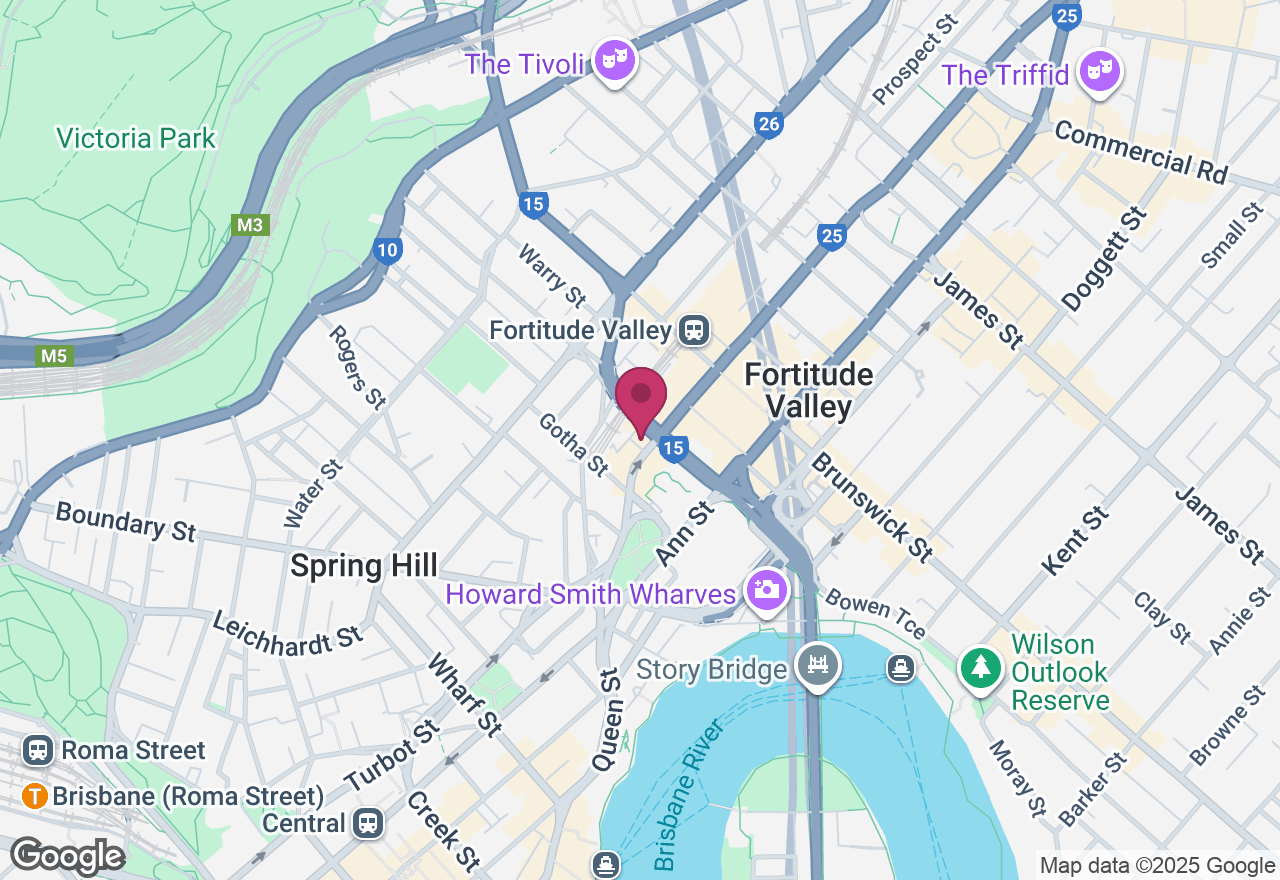
Brisbane Makerspace Community Workshop - 35 Balaclava Street, Woolloongabba QLD
There is nearby public street parking but no on-site parking. Contact us if you have mobility requirements and we may be able to reserve a shared space for you.
Your teacher
Brisbane Makerspace is passionate about teaching people how to use new and innovative technologies (like 3D printing and laser cutting). Our mission is to create a safe space for everyone to socialise and learn how to use our tools and equipment. We're 100% volunteer run and operate as a not for profit.Our volunteers have extensive experience and skills with a variety of different technologies like 3D printing, laser cutting, electronics and more! We're a registered charity and the proceeds of all of our classes go back into our mission.

Gift this artisan class
With our gift card, they can book this class at a time that suits them.
They can also choose from our 16,000+ other classes.
redeem Gifting options
Gift this class
check
Your recipient chooses the date
check
Also usable on ClassBento's 16,000+ other
classes
check
Happiness guaranteed, or your money back
check
Valid for 3 years
Book on ClassBento and enjoy exclusive perks:
-
Earn loyalty points
-
Money-back guarantee* for peace of mind
-
Local support from our Sydney-based team, rated 5 stars by customers
-
Public liability insurance included for your protection
-
ClassBento donates $1 to Dementia Australia with every paid booking
Join waitlist
Get updated when new dates for this class become available.
Unsubscribe any time.
Unsubscribe any time.
E.g. 'Sunday mornings', 'December', etc. We'll still email you about other new dates
Please don't include your contact details in this field
Gifting? Get a gift card, and your recipient can pick a date later.