X (Twitter)


verified_user Money-back guarantee
$600 per guest
Sydney
Melbourne
Brisbane
Gold Coast
Sunshine Coast
Perth
Adelaide
Canberra
Newcastle
Western Sydney
Hobart
Virtual + Kit
Search another city
Add to wishlist
Our mission is to improve mental wellbeing through our workshops and experiences. We curate our teachers and hosts carefully to ensure that they are of high quality.
That's why we provide a money-back guarantee*: If you're unsatisfied with this experience, just leave it at least 20 minutes before it ends, and tell us (the ClassBento team) the reason for your dissatisfaction within 4 hours of that time, and we'll provide you with a refund.
Please choose a time
Please choose a date and time by clickingtapping the dropdown menu (that's just to the left of the button you clicked), before clicking the 'Buy' button.






Sorry, you just missed it
The date in our email has already been booked. Spots can sell out within minutes of new dates being released, so the best way to get in next time is to book as soon as our email lands.
You're still on the waitlist, so we'll email you as soon as new dates are added. Or if you have a date in mind, you can Request it and the teacher will let you know if they can do it.
How Afterpay works


Please note: Afterpay is not available on bookings of over $1,000, and on certain classes.
Book now, pay later
With Zip, you can book now to ensure you don't miss out on the date you like, and pay later, interest free (nothing to pay today).
Just proceed to the checkout, and use the "Zip" option for payment.
Over 800,000 Australians use Zip. Learn more about Zip.
Request a private class
Here you'll just specify the first date of your class series.
This class series runs over 8 consecutive sessions, at the same time every week.
Select a time
Pick a time on
Our mission is to improve mental wellbeing through our workshops and experiences. We curate our teachers and hosts carefully to ensure that they are of high quality.
That's why we provide a money-back guarantee*: If you're unsatisfied with this experience, just leave it at least 20 minutes before it ends, and tell us (the ClassBento team) the reason for your dissatisfaction within 4 hours of that time, and we'll provide you with a refund.
How can we help?
Q: What ages is this class suitable for?
A: Adults & 11+ years. An adult must accompany any attending kids (the adult may observe for free).
Q: What's the cancellation policy?
A: Free to cancel or reschedule up until 3 days before the class
Q: How long does the class run for, and what's the price?
A: 8 x 1 hour, $600 per guest ($600 per class surcharge applies for private classes)
Need a thoughtful gift idea?
card_giftcard Gift an experience
 8 x 1 hour
 Doncaster East
 1 to 20 guests
 $600
($600 per class surcharge applies for private classes)
(Afterpay available)
$600
($600 per class surcharge applies for private classes)
(Afterpay available)
Get 15% off gift cards, using the code GIFTING15 in the checkout.
Offer ends soon.
arrow_right_alt arrow_downward
Week 1: Introduction to ZBrush and Digital Clay
In your first week, you will get comfortable with the ZBrush user interface and navigation controls. You will learn how to manipulate digital clay using basic brushes (Move, ClayBuildup, Standard) and create your very first simple, solid desk accessory.

Week 2: Blocking Out Shapes and Primitive Modeling
You will learn how to combine simple geometric primitives to build more complex structures. Using tools like DynaMesh, you will fuse shapes together seamlessly to establish the foundational silhouette of a stylised character or object.

Week 3: Defining Forms and Secondary Details
This week, you will dive into refinement. You will use subdivision levels to add cleaner definition to your models, learning how to transition smoothly between large structural forms and secondary features like sharp edges or smooth surfaces.

Week 4: Sculpting Stylised Details and Texturing
You will explore the creative side of texturing! You will learn how to use alphas, masks, and specialised brushes to add stylised surface details, patterns, and custom textures that will catch the light beautifully once 3D printed.

Week 5: Designing for the Physical World (3D Print Rules)
You will shift focus toward the technical limitations of 3D printing. You will analyse your model for structural integrity, learn how to handle overhangs, ensure proper wall thickness, and make sure your model has a flat, stable base to stand on.

Week 6: Hollowing, Venting, and Material Optimisation
To save printing material and time, you will learn the crucial process of hollowing out solid digital models. You will also learn how to create strategically hidden drainage holes (vent holes) required for successful resin or filament prints.

Week 7: Keying and Splitting Large Models
You will master the art of cutting a large or complex sculpture into separate, interlocking pieces. You will learn how to create digital keys and sockets (male/female joints) so your multi-part print fits together perfectly post-printing.

Week 8: Final Optimisation, Decimation, and Exporting
In your final week, you will learn how to drastically reduce your model's file size without losing any visual quality using Decimation Master. You will check your model for watertight geometry and export your final print-ready STL/OBJ files.
This class series runs over 8 consecutive sessions, at the same time every week.
This class is great for individuals and couples as well as for a date idea, birthday or hens party.
Suitable for adults, and kids (minimum 11 years old).
An adult must accompany any attending kids (the adult may observe for free).
This experience would also be a cool gift for her, gift for mum, Xmas gift or gift for couples.
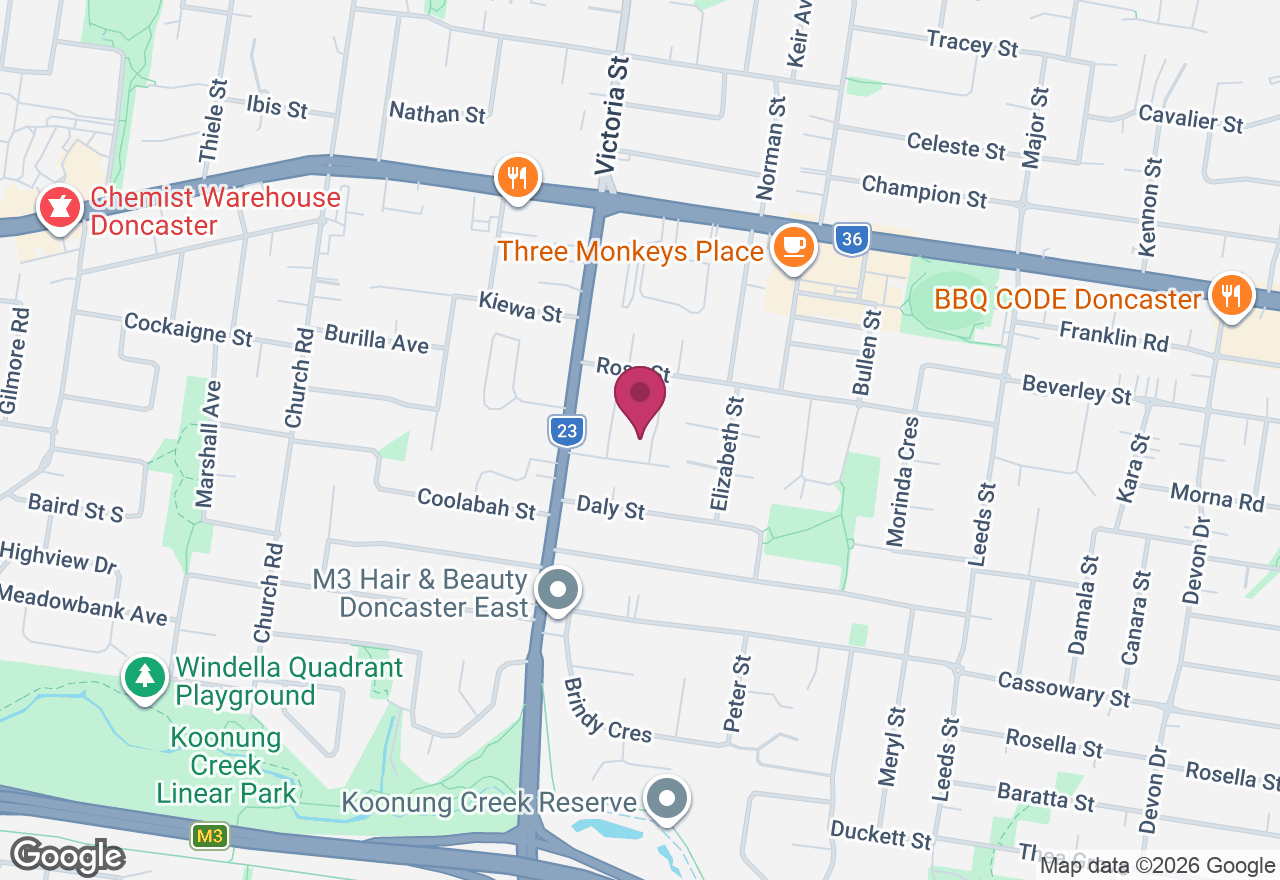
Doncaster East, VIC
Exact location is masked for privacy. You'll automatically get the specific address after booking.
Your teacher can also travel within 50 kms of Doncaster East, to a venue of your choice for a private class.

Gift this artisan class
With our gift card, they can book this class at a time that suits them.
They can also choose from our 16,000+ other classes.
redeem Gifting optionsverified_user Money-back guarantee
$600 per guest
Gift this class
Book on ClassBento and enjoy exclusive perks:
Join waitlist
Gifting? Get a gift card, and your recipient can pick a date later.

Please wait

You're almost there

Subscribe to our newsletter, and enjoy $5 off
Get inspiration and updates on our latest classes